iavh()iAVH
iavh() is an interactive tool for the subjective recreation of auditory hallucinations (AH). A patient, together with a clinician or researcher, adjusts the type of the sound, its position in space, its volume and, for voices, the language, gender and emotional content, until the sound resembles what the patient hears. The final settings can be saved to a CSV file and compared between patients, sessions or treatments.
Warning: Headphones are required: the spatial position of the sound is reproduced by the balance between the left and right channel. Start with a low system volume: some patients find the recreated hallucinations distressing.
Sounds
Four types of auditory hallucinations are available:
| Type | Description | Sound |
|---|---|---|
| Voice | auditory verbal hallucinations (AVH) | short recorded utterances (0.6-2.5 s) |
| Whisper | unintelligible whispered voice | 2 s |
| Noise | broadband noise | 2 s |
| Ringing | pure tone (tinnitus-like) | 8000 Hz sine, 2 s |
For Voice, three more settings are available (for other types they are grayed out and ignored):
- Language: English (EN), German (DE), Spanish (SP) or Polish (PL),
- Gender: male or female voice,
- Emotional aspect: negative, neutral or positive content.
Each language × gender × emotional aspect combination has 5 recorded utterances; every time a voice is played (Play or a click on the head), one of them is chosen at random, as the content of real AVH is unpredictable. Changing the volume replays the current utterance.
Using the Tool
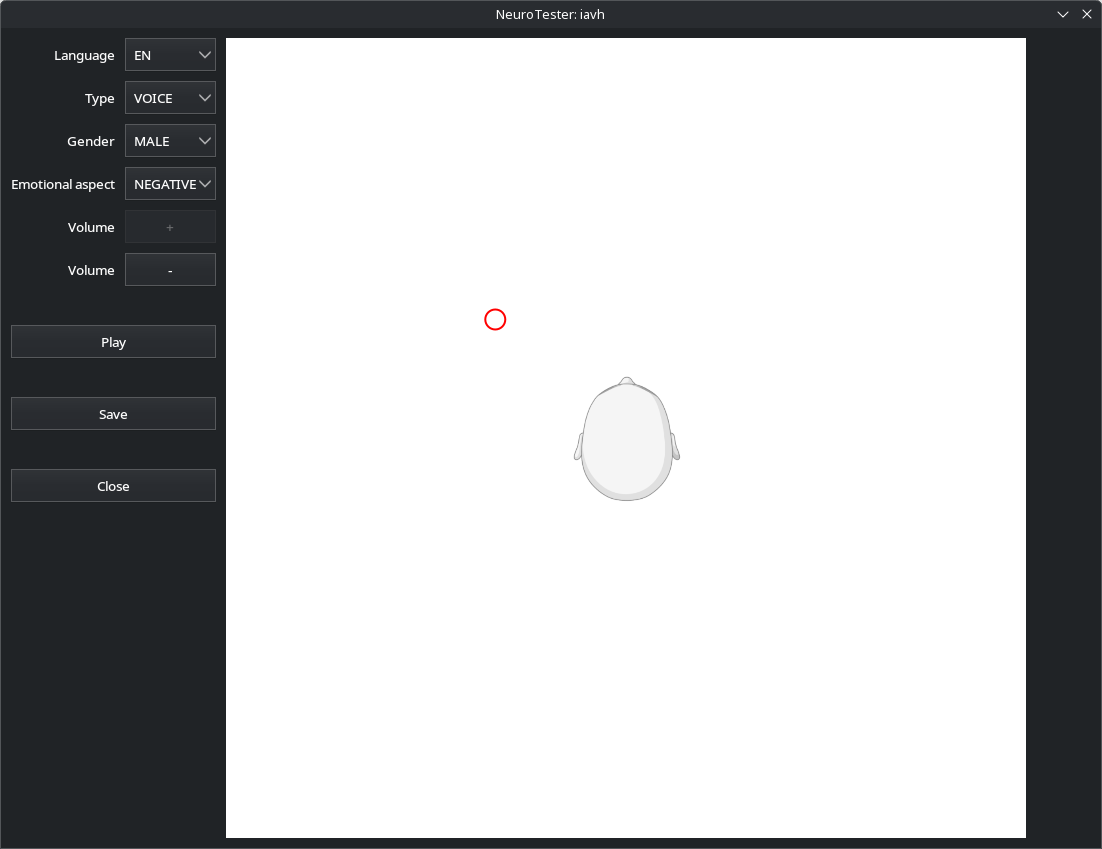
- Choose the Type and, for voices, Language, Gender and Emotional aspect.
- Click the head diagram (top view, nose up) where the sound seems to come from: the position is marked with a red circle and the sound is played. The left and right channel weights are shown below the controls.
- Adjust the volume with − / + (0.1-1.0, step 0.1); each change replays the sound.
- Play plays the sound again (for voices: another utterance).
- Enter the file path and press Save to save the settings; an existing file is overwritten only after a second click on Save.
- Close closes the window.
Spatial Position
The position of the source is converted to the amplitude of the left and right channel. The head diagram is mapped to coordinates from -0.5 to 0.5 in both directions, with the ears at (±0.05, 0). For each ear, the amplitude is:
\[ a = (1 - d)^4 \]
where \(d\) is the distance between the source and the ear; the amplitude of the farther ear is additionally multiplied by 0.75, to make the lateralization clearer. A source closer than 0.1 to an ear (i.e. inside the head) is silent. The resulting weights (saved as distance L and distance R) for some positions:
| Position of the source | Left | Right |
|---|---|---|
| front or back, near | 0.40 | 0.40 |
| front or back, far | 0.09 | 0.09 |
| left, near | 0.52 | 0.24 |
| left, far | 0.13 | 0.05 |
| right, near | 0.24 | 0.52 |
| far corner | 0.03 | 0.01 |
The sound is played with amplitude \(\text{sample} \times \text{volume} \times \text{weight} \times 0.25\) in each channel.
Note: the model reproduces the left-right position and the distance of the source; sources in front of and behind the head at the same distance sound the same.
Saved Settings
The CSV file contains one setting per line:
"AH type",voice
"AVH language",PL
"AVH gender",female
"AVH emotional aspect",negative
"distance L",0.24
"distance R",0.1
"volume",0.8
For non-voice types, AVH language, AVH gender and AVH emotional aspect are NA. The utterance itself is not saved (it is chosen at random each time).