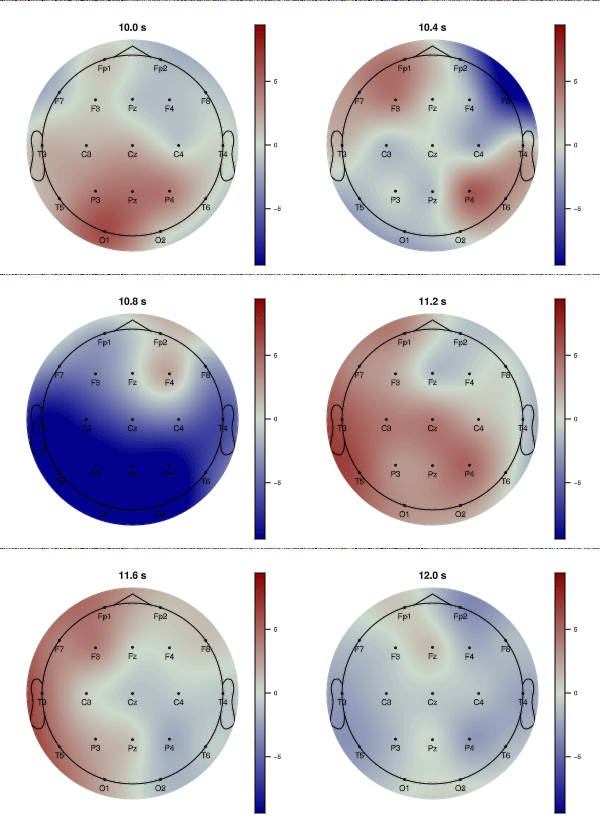
usingNeuroAnalyzerusingCairoMakieCairoMakie.activate!(type="png")# Quarto sets a default figure size (672 × 480 px), which overrides the sizes of# NeuroAnalyzer figures: remove itdelete!(CairoMakie.Makie.CURRENT_DEFAULT_THEME, :resolution)usingStatisticsNeuroAnalyzer.progress_bar =false# EEG channels onlyeeg =load_neuro("files/eeg/eeg.hdf")eeg =keep_channel(eeg; ch ="eeg")
Makie records animations with record(): a figure is created once, and for each frame its data (an Observable) are updated and the frame is saved to a video or GIF file.
As an example, an animation of the topographical map of the signal over 2 seconds. Each frame is a map drawn by plot_topo() and rendered to an image, which is shown in the figure.
All frames must use the same color range, otherwise the colors of the frames are not comparable (and the animation flickers): the signal is not normalized (nmethod = :none) and the color range (crange) is set to ± the 99th percentile of the absolute amplitude:
# time points of the frames: 2 seconds, every 20 msts =10:0.02:12# common color range for all framesseg =vsearch(ts[1], eeg.time_pts):vsearch(ts[end], eeg.time_pts)a =quantile(vec(abs.(eeg.data[:, seg, 1])), 0.99)# a topographical map at time t, rendered to an imagefunctionframe(t) f =plot_topo(eeg; ch ="eeg", tpos = t, ps =:m, nmethod =:none, crange = (-a, a), cb_title ="[μV]", title ="$(round(t; digits =2)) s")returnpermutedims(Makie.colorbuffer(f))end# figure showing the current frameimg =Observable(frame(ts[1]))fig =Figure(size =size(img[]), figure_padding =0)ax =Axis(fig[1, 1]; aspect =DataAspect(), yreversed =true)hidedecorations!(ax)hidespines!(ax)image!(ax, img)# update the image for each time point and save the framesrecord(fig, "images/anim_topo.gif", ts; framerate =10) do t img[] =frame(t)end
The animation is played 5 times slower than real time (frames every 20 ms, 10 frames per second). record() saves GIF, MP4, WebM and MKV files (determined by the file extension); MP4 files are much smaller than GIFs.
The size of a GIF file can be reduced using FFmpeg, e.g. by reducing the number of colors and the image size: